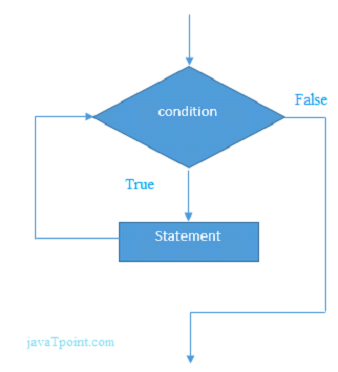
The Ruby while loop is used to iterate a program several times. If the number of iterations is not fixed for a program, while loop is used.
Ruby while loop executes a condition while a condition is true. Once the condition becomes false, while loop stops its execution.
Syntax:
while conditional [do]

   code

end
Example:
#!/usr/bin/ruby

x = gets.chomp.to_i

while x >= 0

  puts x

  x -=1

end
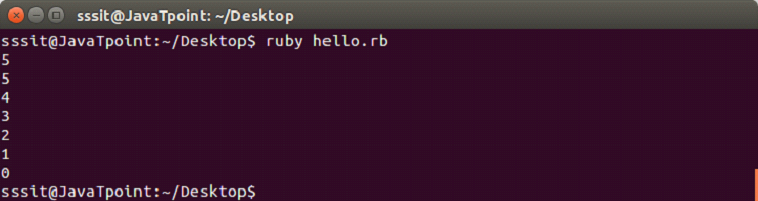
Output:
Ruby do while Loop
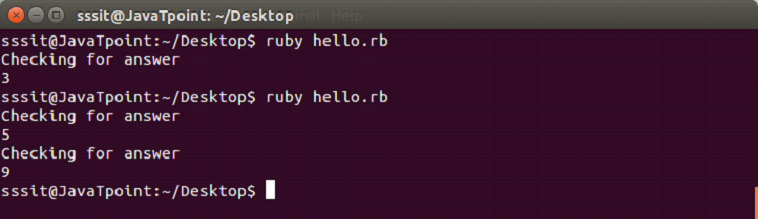
The Ruby do while loop iterates a part of program several times. It is quite similar to a while loop with the only difference that loop will execute at least once. It is due to the fact that in do while loop, condition is written at the end of the code.
Syntax:
loop do

  #code to be executed

  break if booleanExpression

end
Example:
loop do

  puts "Checking for answer"

  answer = gets.chomp

  if answer != '5'

    break

  end

end
In Ruby, we use ‘case’ instead of ‘switch’ and ‘when’ instead of ‘case’. The case statement matches one statement with multiple conditions just like a switch statement in other languages.
Syntax:
case expression

[when expression [, expression ...] [then]

   code ]...

[else

   code ]

end
Example:
#!/usr/bin/ruby

print "Enter your day: "

day = gets.chomp

case day

when "Tuesday"

  puts 'Wear Red or Orange'

when "Wednesday"

  puts 'Wear Green'

when "Thursday"

  puts 'Wear Yellow'

 when "Friday"

  puts 'Wear White'

 when "Saturday"

  puts 'Wear Black'

else

  puts "Wear Any color"

end
Output:
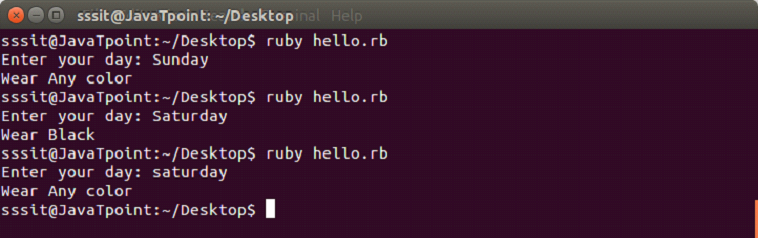
Look at the above output, conditions are case sensitive. Hence, the output for ‘Saturday’ and ‘saturday’ are different.
The Ruby if else statement is used to test condition. There are various types of if statement in Ruby.
if statement
if-else statement
if-else-if (elsif) statement
ternay (shortened if statement) statement
Ruby if statement
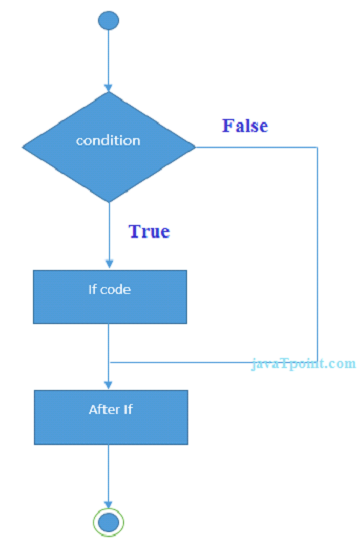
Ruby if statement tests the condition. The if block statement is executed if condition is true.
Syntax:
if (condition)

//code to be executed

end
Example:
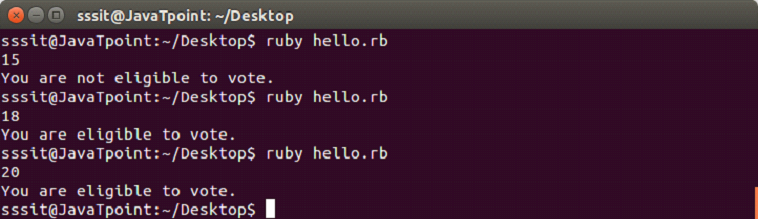
a = gets.chomp.to_i

if a >= 18

  puts "You are eligible to vote."

end
Output:
Ruby if else
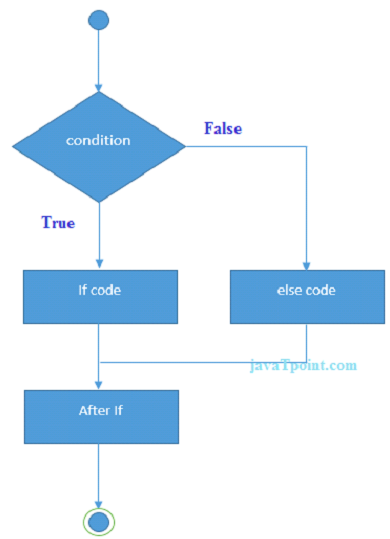
Ruby if else statement tests the condition. The if block statement is executed if condition is true otherwise else block statement is executed.
Syntax:
if(condition)

    //code if condition is true

else

//code if condition is false

end
Example:
a = gets.chomp.to_i

if a >= 18

  puts "You are eligible to vote."

else

  puts "You are not eligible to vote."

end
Output:
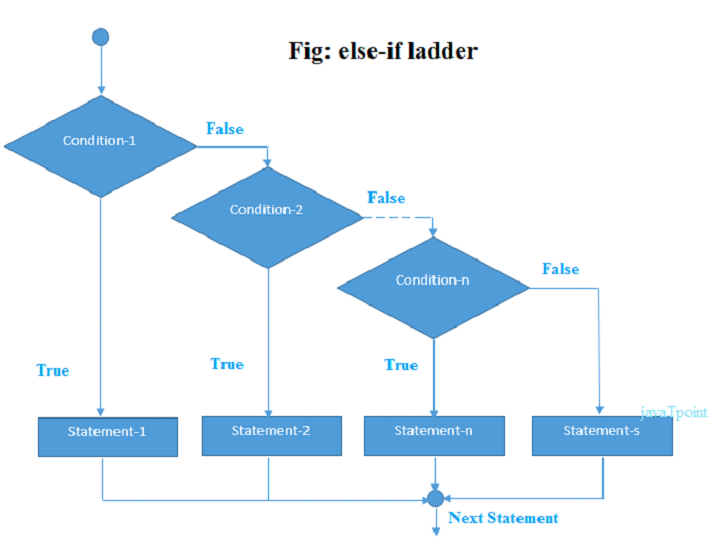
Ruby if else if (elsif)
Ruby if else if statement tests the condition. The if block statement is executed if condition is true otherwise else block statement is executed.
if(condition1)


//code to be executed if condition1is true


elsif (condition2)


//code to be executed if condition2 is true


else (condition3)


//code to be executed if condition3 is true


end
Example:
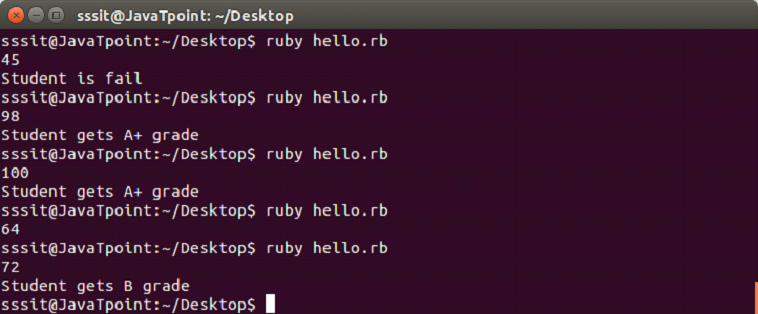
a = gets.chomp.to_i

if a <50

  puts "Student is fail"

elsif a >= 50 && a <= 60

  puts "Student gets D grade"

elsif a >= 70 && a <= 80

  puts "Student gets B grade"

elsif a >= 80 && a <= 90

  puts "Student gets A grade"

elsif a >= 90 && a <= 100

  puts "Student gets A+ grade"

end
Output:
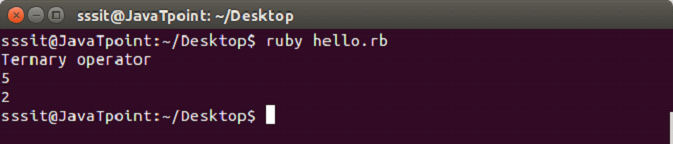
Ruby ternary Statement
In Ruby ternary statement, the if statement is shortened. First it evaluats an expression for true or false value then execute one of the statements.
Data types represents a type of data such as text, string, numbers, etc. There are different data types in Ruby:
Numbers
Strings
Symbols
Hashes
Arrays
Booleans
Numbers
Integers and floating point numbers come in the category of numbers.
Integers are held internally in binary form. Integer numbers are numbers without a fraction. According to their size, there are two types of integers. One is Bignum and other is Fixnum.
Class
Description
Example
Fixnum
They are normal numbers
1
Bignum
They are big numbers
111111111111
Float
Decimal numbers
3.0
Complex
Imaginary numbers
4 + 3i
Rational
They are fractional numbers
9/4
BigDecimal
Precision decimal numbers
6.0
Example:
In a calculation if integers are used, then only integers will be returned back.
In a calculation if float type is used, then only float will be returned back.
In case of dvision, following output will appear.
Strings
A string is a group of letters that represent a sentence or a word. Strings are defined by enclosing a text within single (‘) or double (“) quote.
Example:
Two strings can be concatenated using + sign in between them.
Multiplying a number string with a number will repeat the string as many times.
Symbols
Symbols are like strings. A symbol is preceded by a colon (:). For example, Symbols are like strings. A symbol is preceded by a colon (:). For example,
:abcd
They do not contain spaces. Symbols containing multiple words are written with (_). One difference between string and symbol is that, if text is a data then it is a string but if it is a code it is a symbol.
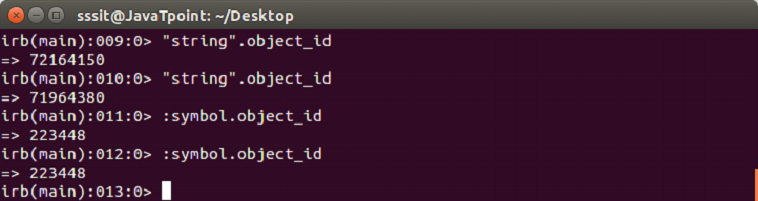
Symbols are unique identifiers and represent static values, while string represent values that change.
Example:
In the above snapshot, two different object_id is created for string but for symbol same object_id is created.
Hashes
A hash assign its values to its keys. They can be looked up by their keys. Value to a key is assigned by => sign. A key/value pair is separated with a comma between them and all the pairs are enclosed within curly braces. For example,
An array stroes data or list of data. It can contain all types of data. Data in an array are separated by comma in between them and are enclosed by square bracket. For example,
["Akash", "Ankit", "Aman"]
Elements from an array are retrieved by their position. The position of elements in an array starts with 0.
Ruby variables are locations which hold data to be used in the programs. Each variable has a different name. These variable names are based on some naming conventions. Unlike other programming languages, there is no need to declare a variable in Ruby. A prefix is needed to indicate it.
There are four types of variables in Ruby:
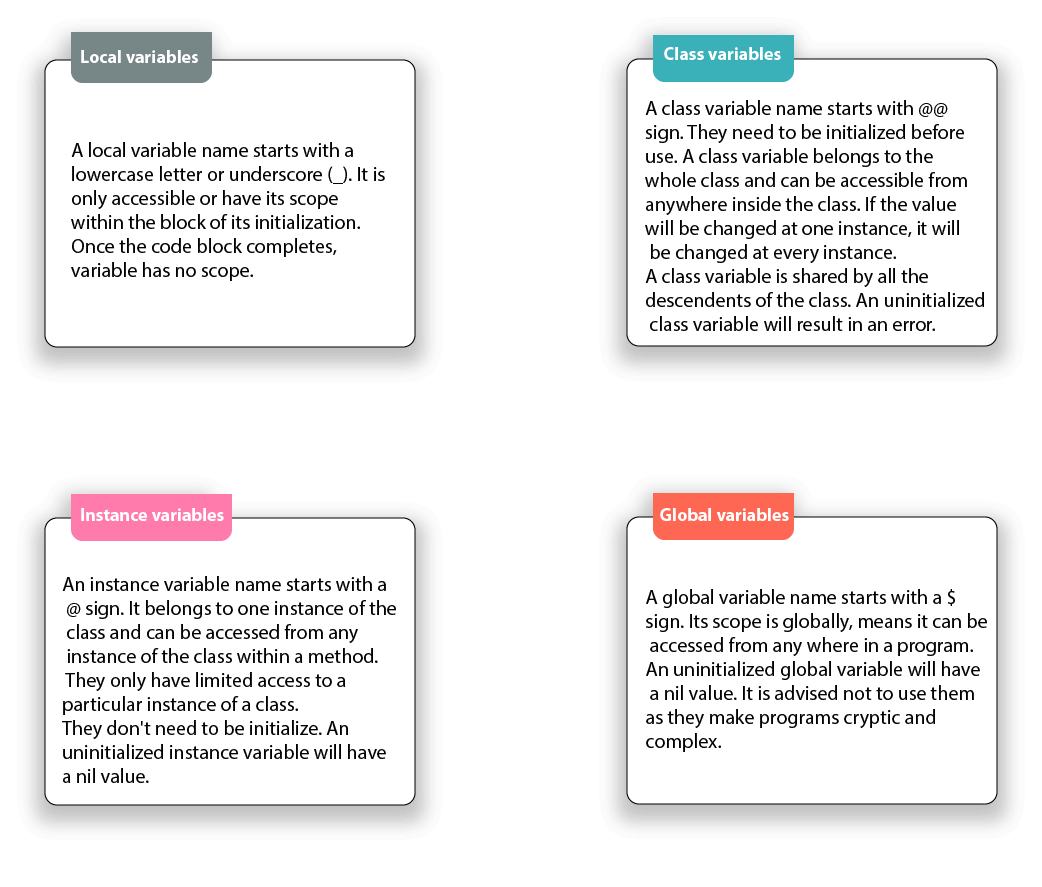
Local variables
Class variables
Instance variables
Global variables
Local variables
A local variable name starts with a lowercase letter or underscore (_). It is only accessible or have its scope within the block of its initialization. Once the code block completes, variable has no scope.
When uninitialized local variables are called, they are interpreted as call to a method that has no arguments.
Class variables
A class variable name starts with @@ sign. They need to be initialized before use. A class variable belongs to the whole class and can be accessible from anywhere inside the class. If the value will be changed at one instance, it will be changed at every instance.
A class variable is shared by all the descendents of the class. An uninitialized class variable will result in an error.
Example:
#!/usr/bin/ruby


class States

   @@no_of_states=0

   def initialize(name)

      @states_name=name

      @@no_of_states += 1

   end

   def display()

     puts "State name #@state_name"

    end

    def total_no_of_states()

       puts "Total number of states written: #@@no_of_states"

    end

end


# Create Objects

first=States.new("Assam")

second=States.new("Meghalaya")

third=States.new("Maharashtra")

fourth=States.new("Pondicherry")


# Call Methods

first.total_no_of_states()

second.total_no_of_states()

third.total_no_of_states()

fourth.total_no_of_states()
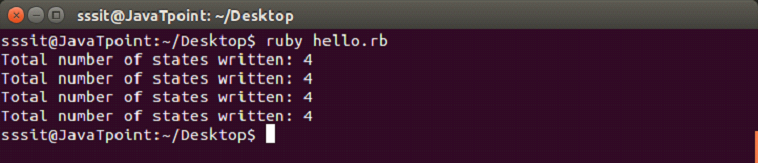
In the above example, @@no_of_states is a class variable.
Output:
Instance variables
An instance variable name starts with a @ sign. It belongs to one instance of the class and can be accessed from any instance of the class within a method. They only have limited access to a particular instance of a class.
They don’t need to be initialize. An uninitialized instance variable will have a nil value.
Example:
#!/usr/bin/ruby


class States


   def initialize(name)


      @states_name=name


   end


   def display()


      puts "States name #@states_name"


    end


end


# Create Objects


first=States.new("Assam")


second=States.new("Meghalaya")


third=States.new("Maharashtra")


fourth=States.new("Pondicherry")


# Call Methods


first.display()


second.display()


third.display()


fourth.display()
In the above example, @states_name is the instance variable.
Output:
Global variables
A global variable name starts with a $ sign. Its scope is globally, means it can be accessed from any where in a program.
An uninitialized global variable will have a nil value. It is advised not to use them as they make programs cryptic and complex.
There are a number of predefined global variables in Ruby.
Example:
#!/usr/bin/ruby


$global_var = "GLOBAL"


class One


  def display


     puts "Global variable in One is #$global_var"


  end


end


class Two


  def display


     puts "Global variable in Two is #$global_var"


  end


end


oneobj = One.new


oneobj.display


twoobj = Two.new


twoobj.display
In the above example, @states_name is the instance variable.
Output:
Summary
Local
Global
Instance
Class
Scope
Limited within the block of initialization.
Its scope is globally.
It belongs to one instance of a class.
Limited to the whole class in which they are created.
Naming
Starts with a lowercase letter or underscore (_).
Starts with a $ sign.
Starts with an @ sign.
Starts with an @@ sign.
Initialization
No need to initialize. An uninitialized local variable is interpreted as methods with no arguments.
No need to initialize. An uninitialized global variable will have a nil value.
No need to initialize. An uninitialized instance variable will have a nil value.
They need to be initialized before use. An uninitialized global variable results in an error.
Now we will write a simple program of Ruby. Before writing Hello World program, we are assuming that you have successfully installed Ruby in your system.
Requirement for Hello Ruby Program
Download Ruby and install it.
Create a file with .rb extension.
Connect Ruby path to the file.
Run the file.
Creating Hello Ruby Program
1) Use any text editor and create a hello.rb file. Write the following code,
puts "Hello Ruby !"
2) Connect Ruby path to the above file. We have created hello.rb file in the Desktop. So first we need to go the Desktop directory through our console.