Iterator is a concept used in object-oriented language. Iteration means doing one thing many times like a loop.
The loop method is the simplest iterator. They return all the elements from a collection, one after the other. Arrays and hashes come in the category of collection.
Ruby Each Iterator
The Ruby each iterator returns all the elements from a hash or array.
Syntax:
(collection).each do |variable|

  code...

end
Here collection can be any array, range or hash.
Example:
#!/usr/bin/ruby

(1...5).each do |i|

   puts i

end
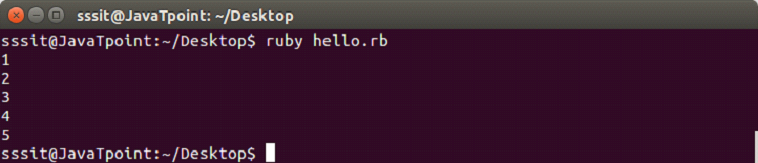
Output:
Ruby Times Iterator
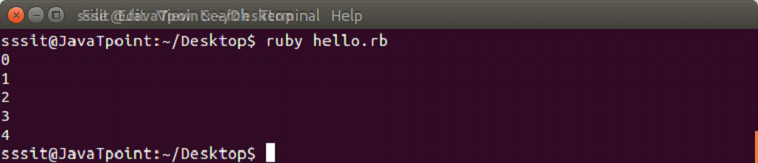
A loop is executed specified number of times by the times iterator. Loop will start from zero till one less than specified number.
Syntax:
x.times do |variable|

  code...

end
Here, at place of x we need to define number to iterate the loop.
Example:
#!/usr/bin/ruby

5.times do |n|

  puts n

end
Output:
Ruby Upto and Downto Iterators
An upto iterator iterates from number x to number y.
Syntax:
x.upto(y) do |variable|

  code

end
Example:
#!/usr/bin/ruby

1.upto(5) do |n|

  puts n

end
Output:
Ruby Step Iterator
A step iterator is used to iterate while skipping over a range.
Syntax:
(controller).step(x) do |variable|

  code

end
Here, x is the range which will be skipped during iteration.
Example:
#!/usr/bin/ruby


(10..50).step(5) do |n|


  puts n


end
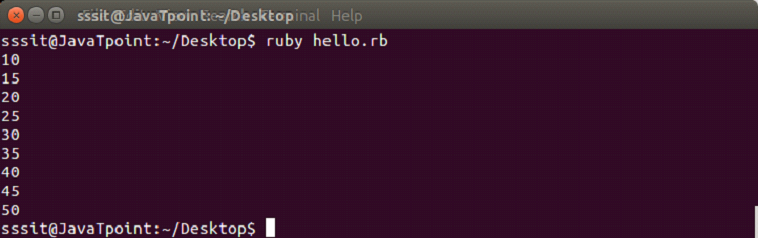
Output:
Ruby Each_Line Iterator
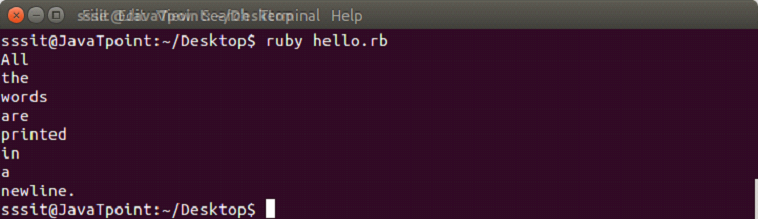
A each_line iterator is used to iterate over a new line in a string.
Example:
#!/usr/bin/ruby
"All\nthe\nwords\nare\nprinted\nin\na\nnew\line.".each_line do |line|
The most natural way to define a range is in sequence. They have a start point and an end point. They are created using either .. or … operators.
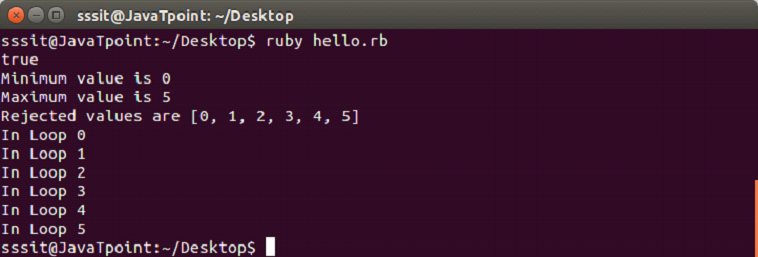
We are taking a sample range from 0 to 5. The following operations are performed on this range.
Example:
#!/usr/bin/ruby


range = 0..5


puts range.include?(3)


ans = range.min


puts "Minimum value is #{ans}"


ans = range.max


puts "Maximum value is #{ans}"


ans = range.reject {|i| i < 5 }


puts "Rejected values are #{ans}"


range.each do |digit|


   puts "In Loop #{digit}"


end
Output:
Ranges as Conditions
Ranges are also defined as conditional expressions. Different conditions are defined in a set of lines. These conditions are enclosed within start statement and end statement.
Example:
#!/usr/bin/ruby


budget = 50000


watch = case budget


   when 100..1000 then "Local"


   when 1000..10000 then "Titan"


   when 5000..30000 then "Fossil"


   when 30000..100000 then "Rolex"


   else "No stock"


end


puts watch
Output:
Ranges as Intervals
Ranges can also be defined in terms of intervals. Intervals are represented by === case equality operator.
Example:
#!/usr/bin/ruby

if (('a'..'z') === 'v')

  puts "v lies in the above range"

end


if (('50'..'90') === 99)

  puts "z lies in the above range"

end
Output:
Ruby Reverse Range
Ruby reverse range operator does not return any value. If left side value is larger than right side value in a range, no vlaue will be returned.
Example:
#!/usr/bin/ruby


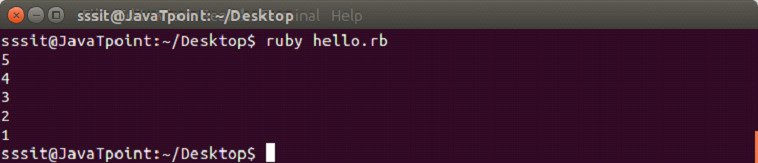
    puts (5..1).to_a
Nothing will be returned in the output for the above example.
To print a reverse order, you can use reverse method in a normal range as shown below.
Ruby has Mainly three classes related to date and time in its documentation.
Date
DateTime
Time
Date
Ruby date provides two classes, Date and DateTime.
To understand the concept of date, first we need to understand some terms.
Calendar date: The calendar date is a particular day within a calendar month within a year.
Ordinal date: The ordinal date is a particular day of a calendar year identified by its ordinal number.
Week date: The week date is a day identified by calendar week and day numbers. The first calendar week of the year is the one which includes first Thursday of that year.
Julian day number: The julian day number is in elapsed day since noon on January 1, 4713 BCE.
Modified julian day number: The modified julian day number is in elapsed day since midnight on November 17, 1858 CE.
The Date object is created with ::new, ::parse, ::today, ::jd, ::strptime, etc. All date objects are immutable, hence they can’t modify themselves.
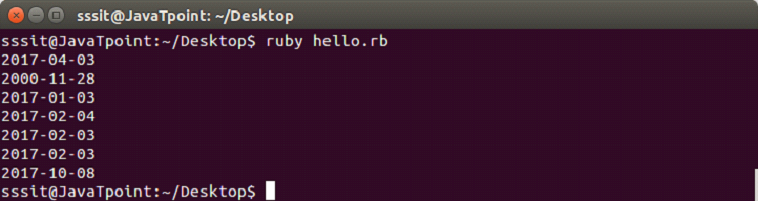
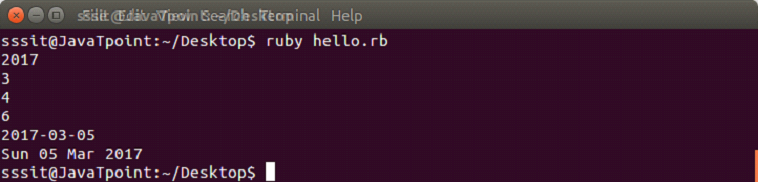
The Date object has various methods as shown in the below example.
Example:
require 'date'


d = Date.parse('4th Mar 2017')


puts d.year

puts d.mon

puts d.mday

puts  d.wday

puts d += 1

puts d.strftime('%a %d %b %Y')
Output:
DateTime
Ruby DateTime is a subclass of Date. It easily handles date, hour, minute, second and offset.
The DateTime object created with DateTime.new, DateTime.ordinal, DateTime.parse, DateTime.jd, DateTime.commercial, DateTime.now, etc.
Example:
require 'date'


puts DateTime.new(2017,3,4,5,6,7)
Output:
The last element of day, minute, second or hour can be fractional.
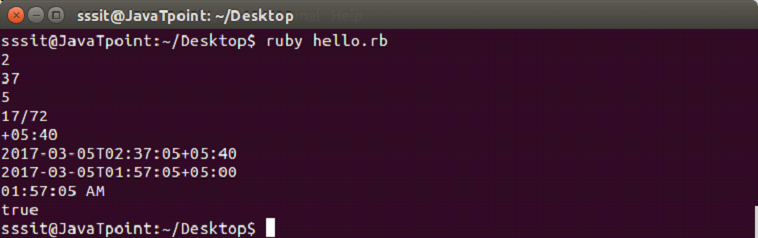
The DateTime object has various methods as shown in the below example.
Example:
require 'date'


d = DateTime.parse('4th Mar 2017 02:37:05+05:40')


puts d.hour


puts d.min


puts d.sec


puts d.offset


puts d.zone


puts d += Rational('1.0')


puts d = d.new_offset('+05:00')


puts d.strftime('%I:%M:%S %p')


puts d > DateTime.new(2000)
Output:
Time
Time class is an abstraction of dates and times. It is stored internally as the number of seconds since Epoch time. The Time class treats GMT (Grenwich Mean Time) and UTC (Coordinated Universal Time) equivalent.
Times may appear equal but on comparison they may be different as all times may have fraction.
Time implementation uses a signed 63 bit integer, Bignum or Rational. Time works slower when integer is used.
AD
Creating a new Time Instance
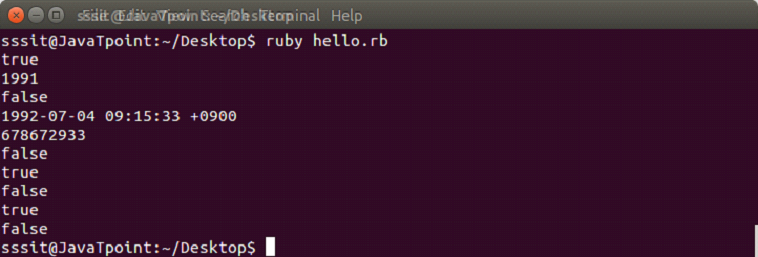
A new Time instance can be created with ::new. This will use your current system’s time. Parts of time like year, month, day, hour, minute, etc can also be passed.
While creating a new time instance, you need to pass at least a year. If only year is passed, then time will default to January 1 of that year at 00:00:00 with current system time zone.
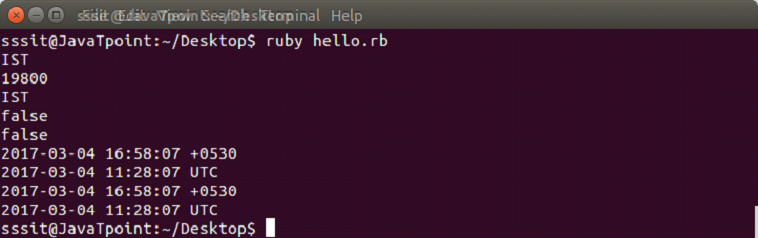
A Time object can be used to get all the information related to timezones. All the information will be displayed respective to current time of our system.
A Ruby hash is a collection of unique keys and their values. They are similar to arrays but array use integer as an index and hash use any object type. They are also called associative arrays, dictionaries or maps.
If a hash is accessed with a key that does not exist, the method will return nil.
Syntax:
name = {"key1" => "value1", "key2" => "value2", "key3" => "value3"...}

                    OR

name = {key1:  'value1', key2:  'value2', key3:  'value3'...}
Creating Ruby Hash
Ruby hash is created by writing key-value pair within {} curly braces.
To fetch a hash value, write the required key within [] square bracket.
Ruby arrays are ordered collections of objects. They can hold objects like integer, number, hash, string, symbol or any other array.
Its indexing starts with 0. The negative index starts with -1 from the end of the array. For example, -1 indicates last element of the array and 0 indicates first element of the array.
Creating Ruby Arrays
A Ruby array is created in many ways.
Using literal constructor []
Using new class method
Using literal construct []
A Ruby array is constructed using literal constructor []. A single array can contain different type of objects.
For example, following array contains an integer, floating number and a string.
exm = [4, 4.0, "Jose", ]

puts exm
Output:
Using new class method
A Ruby array is constructed by calling ::new method with zero, one or more than one arguments.
Syntax:
arrayName = Array.new
To set the size of an array,
Syntax:
arrayName = Array.new(10)
Here, we have mentioned that array size is of 10 elements.
To know the size of an array, either size or length method is used.
Ruby array elements can be added in different ways.
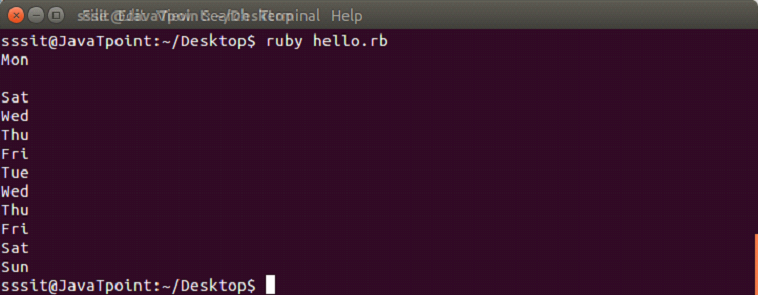
push or <<
unshift
insert
push or <<
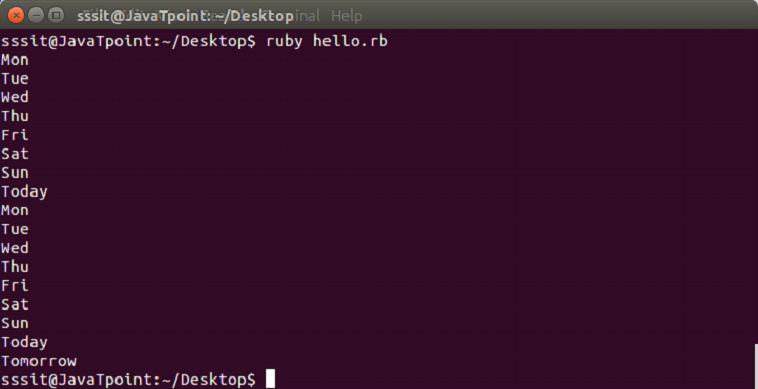
Using push or <<, items can be added at the end of an array.
Example:
days = ["Mon", "Tue", "Wed", "Thu", "Fri", "Sat", "Sun"]

puts days.push("Today")

puts days << ("Tomorrow")
Output:
unshift
Using unshift, a new element can be added at the beginning of an array.
Example:
days = ["Fri", "Sat", "Sun"]

puts days.unshift("Today")
Output:
insert
Using insert, a new element can be added at any position in an array. Here, first we need to mention the index number at which we want to position the element.
Example:
days = ["Fri", "Sat", "Sun"]

puts days.insert(2, "Thursday")
Output:
Removing Items from Array
Ruby array elements can be removed in different ways.
pop
shift
delete
uniq
pop
Using pop, items can be removed from the end of an array. It returns the removed item.
Example:
days = ["Fri", "Sat", "Sun"]

puts days.pop
Output:
shift
Using shift, items can be removed from the start of an array. It returns the removed item.
Example:
days = ["Fri", "Sat", "Sun"]


puts days.shift
Output:
delete
Using delete, items can be removed from anywhere in an array. It returns the removed item.
Example:
days = ["Fri", "Sat", "Sun"]

puts days.delete("Sat")
Output:
uniq
Using uniq, duplicate elements can be removed from an array. It returns the remaining array.
Example:
days = ["Fri", "Sat", "Sun", "Sat"]

puts days.uniq
Ruby string object holds and manipulates an arbitary sequence of bytes, typically representing characters. They are created using String::new or as literals.
Quotes
Ruby string literals are enclosed within single and double quotes.
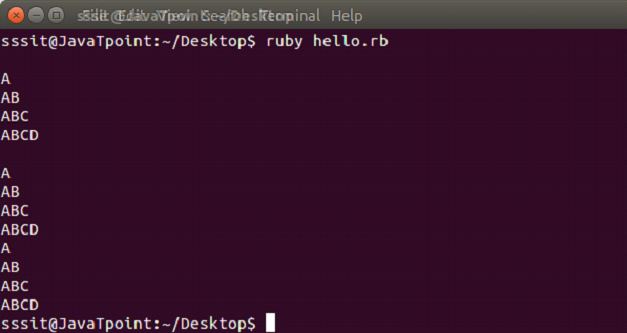
Writing multiline string is very simple in Ruby language. We will show three ways to print multi line string.
String can be written within double quotes.
The % character is used and string is enclosed within / character.
In heredoc syntax, we use << and string is enclosed within word STRING.
Example:
puts "


A


AB


ABC


ABCD"


puts %/


A


AB


ABC


ABCD/


puts <<STRING


A


AB


ABC


ABCD


STRING
Output:
Variable Interpolation
Ruby variable interpolation is replacing variables with values inside string literals. The variable name is put between #{ and } characters inside string literal.
Example:
#!/usr/bin/ruby


country = "India"

capital = "New Delhi"


puts "#{capital} is the capital of #{country}."
Output:
Concatenating Strings
Ruby concatenating string implies creating one string from multiple strings. You can join more than one string to form a single string by concatenating them.
There are four ways to concatenate Ruby strings into single string:
Using plus sign in between strings.
Using a single space in between strings.
Using << sign in between strings.
Using concat method in between strings.
Example:
#!/usr/bin/ruby


string = "This is Ruby Tutorial" + " from JavaTpoint." + " Wish you all good luck."

puts string


string = "This is Ruby Tutorial" " from JavaTpoint." " Wish you all good luck."

puts string


string = "This is Ruby Tutorial" << " from JavaTpoint." << " Wish you all good luck."

puts string


string = "This is Ruby Tutorial".concat(" from JavaTpoint.").concat(" Wish you all good luck.")

puts string
Output:
Freezing Strings
In most programming languages strings are immutable. It means that an existing string can’t be modified, only a new string can be created out of them.
In Ruby, by default strings are not immutable. To make them immutable, freeze method can be used.
Example:
#!/usr/bin/ruby


str = "Original string"

str << " is modified "

str << "is again modified"


puts str


str.freeze


#str << "And here modification will be failed after using freeze method"
Output:
In the above output, we have made the string immutable by using freeze method. Last line is commented as no string can’t be modified any further.
By uncommenting the last line, we’ll get an error as shown in the below output.
Output:
Comparing Strings
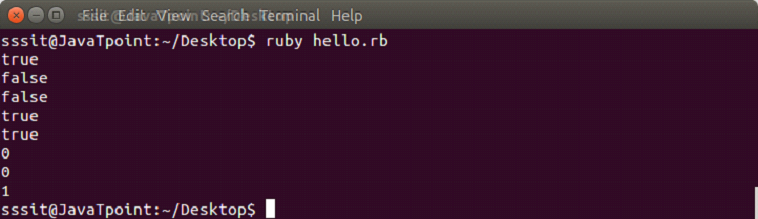
Ruby strings can be compared with three operators:
With == operator : Returns true or false
With eql? Operator : Returns true or false
With casecmp method : Returns 0 if matched or 1 if not matched
Ruby module is a collection of methods and constants. A module method may be instance method or module method.
Instance methods are methods in a class when module is included.
Module methods may be called without creating an encapsulating object while instance methods may not.
They are similar to classes as they hold a collection of methods, class definitions, constants and other modules. They are defined like classes. Objects or subclasses can not be created using modules. There is no module hierarchy of inheritance.
Modules basically serve two purposes:
They act as namespace. They prevent the name clashes.
They allow the mixin facility to share functionality between classes.
Syntax:
module ModuleName

   statement1

   statement2

   ...........

end
Module name should start with a capital letter.
Module Namespaces
While writing larger files, a lot of reusable codes are generated. These codes are organized into classes, which can be inserted into a file.
For example, if two persons have the same method name in different files. And both the files need to be included in a third file. Then it may create a problem as the method name in both included files is same.
Here, module mechanism comes into play. Modules define a namespace in which you can define your methods and constants without over riding by other methods and constants.
Example:
Suppose, in file1.rb, we have defined number of different type of library books like fiction, horror, etc.
In file2.rb, we have defined the number of novels read and left to read including fiction novels.
In file3.rb, we need to load both the files file1 and file2. Here we will use module mechanism.
file1.rb
#!/usr/bin/ruby


# Module defined in file1.rb file


module Library

   num_of_books = 300

   def Library.fiction(120)

   # ..

   end

   def Library.horror(180)

   # ..

   end

end
file2.rb
#!/usr/bin/ruby


# Module defined in file2.rb file


module Novel

   total = 123

   read = 25

   def Novel.fiction(left)

   # ...

   end

end
file3.rb
require "Library"

require "Novel"


x = Library.fiction(Library::num_of_books)

y = Novel.fiction(Novel::total)
A module method is called by preceding its name with the module’s name and a period, and you reference a constant using the module name and two colons.
Module Mixins
Ruby doesn’t support multiple inheritance. Modules eliminate the need of multiple inheritance using mixin in Ruby.
A module doesn’t have instances because it is not a class. However, a module can be included within a class.
When you include a module within a class, the class will have access to the methods of the module.
Example:
module Name


   def bella


   end


   def ana


   end


end


module Job


   def editor


   end


   def writer


   end


end


class Combo


include Name


include Job


   def f


   end


end


final=Combo.new


final.bella


final.ana


final.editor


final.writer


final.f
Here, module Name consists of methods bella and ana. Module Job consists of methods editor and writer. The class Combo includes both the modules due to which class Combo can access all the four methods. Hence, class Combo works as mixin.
The methods of a module that are mixed into a class can either be an instance method or a class method. It depends upon how you add mixin to the class.
Ruby code blocks are called closures in other programming languages. It consist of a group of codes which is always enclosed with braces or written between do..end. The braces syntax always have the higher precedence over the do..end syntax. Braces have high precedence and do has low precedence.
A block is written in two ways,
Multi-line between do and end (multi-line blocks are niot inline)
Inline between braces {}
Both are same and have the same functionality.
To invoke a block, you need to have a function with the same name as the block.
A block is always invoked with a function. Blocks can have their own arguments.
syntax:
block_name{

   statement1

   statement2

   ..........

}
Example:
The below example shows the multi-line block.
[10, 20, 30].each do |n|


 puts n


end
Output:
Below example shows the inline block.
[10, 20, 30].each {|n| puts n}
Output:
The yield statement
The yield statement is used to call a block within a method with a value.
Example:
#!/usr/bin/ruby


def met

   puts "This is method"

   yield

   puts "You will be back to method"

   yield

end

met {puts "This is block"}
Output:
While the execution of met method, when we reach at yield line, the code inside the block is executed. When block execution finishes, code for met method continues.
Passing parameters with yield statement
One or more than one parameter can be passed with the yield statement.
Example:
#!/usr/bin/ruby


def met


   yield 1


   puts "This is method"


   yield 2


end


met {|i| puts "This is block #{i}"}
Output:
Block Variables
We can use same variable outside and inside a block parameter. Let’s see the following example.
Example:
#!/usr/bin/ruby


    x = "Outer variable"


    3.times do |x|


      puts "Inside the block: #{x}"


    end


    puts "Outside the block: #{x}"
Output:
In this example, we are using same variable inside the block as the block parameter x and outside the block as a variable x.
BEGIN and END block
Ruby BEGIN and END block is used to declare that file is being loaded and file has been loaded respectively.
Example:
#!/usr/bin/ruby


BEGIN {


  puts "code block is being loaded"


}


END {


  puts "code block has been loaded"


}


puts "This is the code block"
Output:
Ampersand parameter (&block)
The &block is a way to pass a reference (instead of a local variable) to the block to a method.
Here, block word after the & is just a name for the reference, any other name can be used instead of this.
Example:
def met(&block)


  puts "This is method"


  block.call


end


met { puts "This is &block example" }
Output:
Here, the block variable inside method met is a reference to the block. It is executed with the call mehtod. The call method is same as yield method.
Initializing objects with default values
Ruby has an initializer called yield(self). Here, self is the object being initialized.
Example:
class Novel

  attr_accessor :pages, :category


  def initialize

    yield(self)

  end

end


novel = Novel.new do |n|

  n.pages = 564

  n.category = "thriller"

end


puts "I am reading a #{novel.category} novel which has #{novel.pages} pages."
Ruby methods prevent us from writing the same code in a program again and again. It is a set of expression that returns a value.
Ruby methods are similar to the functions in other lnguages. They unite one or more repeatable statements into one single bundle.
Defining Method
To use a method, we need to first define it. Ruby method is defined with the def keyword followed by method name. At the end we need to use end keyword to denote that method has been defined.
Methods name should always start with a lowercase letter. Otherwise, it may be misunderstood as a constant.
Syntax:
def methodName

    code...

end
Example:
Here, we have defined a method welcome using def keyword. The last line end keyword says that we are done with the method defining.
Now let’s call this method. A method is called by just writing its name.
Defining Method with Parameter
To call a particular person, we can define a method with parameter.
Here, #{name} is a way in Ruby to insert something into string. The bit inside the braces is turned into a string.
Let’s call the method by passing a parameter Edward.
Here, we will learn about Ruby objects and classes. In object-oriented programming language, we design programs using objects and classes.
Object is a physical as well as logical entity whereas class is a logical entity only.
Ruby Object
Object is the default root of all Ruby objects. Ruby objects inherit from BasicObject (it is the parent class of all classes in Ruby) which allows creating alternate object hierarchies.
Object mixes in the Kernel module which makes the built-in Kernel functions globally accessible.
Creating object
Objects in Ruby are created by calling new method of the class. It is a unique type of method and predefined in the Ruby library.
Ruby objects are instances of the class.
Syntax:
objectName = className.new
Example:
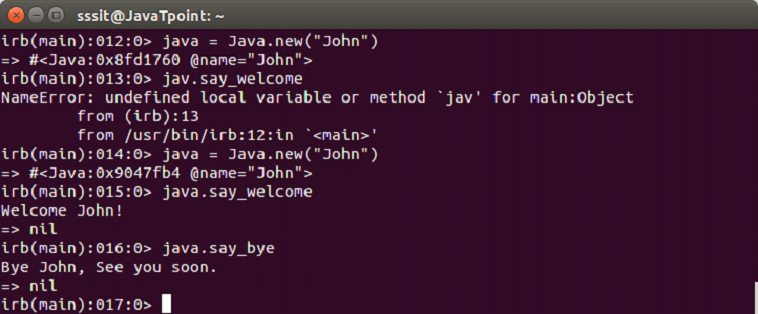
We have a class named Java. Now, let’s create an object java and use it with following command,
java = Java.new("John")
Ruby Class
Each Ruby class is an instance of class Class. Classes in Ruby are first-class objects.
Ruby class always starts with the keyword class followed by the class name. Conventionally, for class name we use CamelCase. The class name should always start with a capital letter. Defining class is finished with end keyword.
Syntax:
class ClassName

    codes...

end
Example:
In the above example, we have created a class Home using class keyword. The @love is an instance variable, and is available to all methods of class Home.