Category: Backbone

  • Backbone.js Utility

    The utility class consists of a set of methods for implementing Backbone utility. Following are two methods that can be used to manipulate the Backbone.js utility:

    1) Backbone.noConflict: It returns the Backbone objects back to its original value and provides a facility to store reference to a backbone. It can be used to embed backbone on third-party websites, where you don’t want to thrash the existing backbone.

    1. var localBackbone = Backbone.noConflict();  
    2. var model = localBackbone.Model.extend(…);  

    2) Backbone.$: This property is used when you have multiple copies of jQuery on the page, or simply want to tell Backbone to use a particular object as its DOM / Ajax library.

    1. Backbone.$ = require(‘jquery’);  

  • Backbone.js View

    The Backbone.js Views specify how your data looks like. They represent model’s data to the users. They can be used with any JavaScript template library. They handle users input events, bind events and methods, render model and collection and interact with users.

    Following is a list of methods that can be used to manipulate the Backbone.js views:

    IndexndexMethodDescription
    1.extendIt is used to extend the Backbone.view class to create a custom view class.
    2.initializeIt is used to instantiate the view by using new keyword.
    3.elIt defines which element to be used as the view reference.
    4.$elIt represents the jQuery object for the view’s element.
    5.setElementIt specifies existing DOM element to a different DOM element.
    6.attributesThey can be used as DOM element attributes on the view class.
    7.$(jQuery)It is used as selector that contains $ function and runs queries within the view’s element.
    8.templateWhile rendering the view, template creates reusable copies of markup and provides access to instance data.
    9.renderIt contains the logic for rendering a template.
    10.removeIt is used to remove a view from the dom.
    11.delegateEventsIt binds elements to the specified DOM elements with callback methods to handle events.
    12.undelegateEventsIt is used to remove delegate events from the view.
  • Backbone.js History

    The backbone.js history serves as a global router, keeps track of the history, matches the appropriate route and triggers callbacks to handle events and enable routing in the application.

    There is only method named “start” can be used to manipulate the Backbone.js history.

    start:

    The start method listens to routes and manages the history for bookmarkable URL’s. When all of your Routers have been created, and all of the routes are set up properly then Backbone.history.start() is called to begin monitoring the hashchange events, and dispatching routes.

    Syntax:

    1. Backbone.history.start(options)   

    Parameter explanation:

    options: The “options” specifies the parameters like pushState and hashChange used with history.

    Let’s take an example.

    See this example:

    <!DOCTYPE html>  
    
       <head>  
    
          <title>Backbone.js History Example</title>  
    
             <script src="https://code.jquery.com/jquery-2.1.3.min.js" type="text/javascript"></script>  
    
             <script src="https://cdnjs.cloudflare.com/ajax/libs/underscore.js/1.8.2/underscore-min.js" type="text/javascript"></script>  
    
             <script src="https://cdnjs.cloudflare.com/ajax/libs/backbone.js/1.1.2/backbone-min.js" type="text/javascript"></script>  
    
       </head>  
    
       <script type="text/javascript">  
    
          var Router = Backbone.Router.extend({  
    
             routes: {  
    
                "myroute" : "myFunc"  
    
             },  
    
             myFunc: function (myroute) {  
    
                document.write(myroute);  
    
             }  
    
          });  
    
          var router = new Router();  
    
         Backbone.history.start({ pushState: true });    
    
      </script>  
    
      <body>  
    
         <a href="#route1">Route1 </a>  
    
         <a href="#route2">Route2 </a>  
    
         <a href="#route3">Route3 </a>  
    
      </body>  
    
    </html>
    
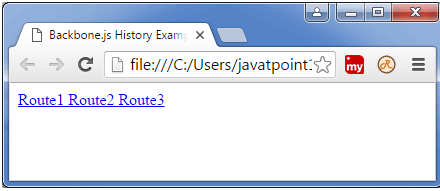
    Output:

    Save the above code in get.html file and open this file in a new browser.

    BackboneJS History
  • Backbone.js Router

    Backbone.js Router is used for routing client side applications and connecting them to actions and events. It also defines the URL representation of application?s object when web applications provide linkable, bookmarkable, and sharable URL.

    Following is list of methods which can be used to manipulate the Backbone.js router:

    IndexMethodDescription
    1.extendIt is used to extend the backbone’s router class.
    2.routesIt is used to define the URL representation of application’s objects.
    3.initializeIt creates new constructor for the router installation.
    4.routeIt creates route for the router.
    5.navigateIt updates URL in the applications.
    6.executeIt is used when a route matches its corresponding callback.

  • Backbone.js Collection

    A collection is an ordered set of models.

    It is used to deal with a group of related models.

    It handles the loading and saving of new models to the server.

    It provides helper functions to perform aggregation and computation against a list of models.

    You can create your own collection by extending the backbone’s collection class.

    If an event is triggered on a model in a collection then this will also be triggered on the collection directly. It facilitates you to listen for changes to specific attributes in any model in a collection.

    Following is a list of methods that can be used to manipulate the Backbone.js collection:

    IndexMethodDescription
    1.extendIt is used to extend the backbone’s collection class to create an own collection.
    2.modelIt is used to specify the model class. You need to override the model property of the collection class.
    3.initializeInitialize function is defined to create a model instance.
    4.modelsIt specifies the array of models which are created inside of the collection.
    5.toJSONIt returns the copy of the attributes of a model using JSON format in the collection.
    6.syncIt specifies the state of the model and uses backbone.sync to display the state of the collection.
    7.addIt is used to add a model or array of models to the collection.
    8.removeIt removes a model or array of models from the collection.
    9.resetIt resets the collection and populates with new array of models or empty the entire collection.
    10.setIt is used to update the collection with set of items in a model. If any new model is found, the items will be added to that model.
    11.getIt is used to retrieve the model from a collection by using id or Cid.
    12.atIt is used to retrieve the model form a collection by using specified index.
    13.pushIt is similar to add() method which takes array of models and push the models to the collection.
    14.popIt is similar to remove() method which takes array of models and remove the models from the collection.
    15.unshiftIt is used to add specified model at the beginning of a collection.
    16.shiftIt is used to remove the first item from the collection.
    17.sliceIt is used to display the shallow copy of the elements from the collection model.
    18.lengthIt is used to count the number of models in the collection.
    19.comparatorIt sorts the items in the collection.
    20.sortIt is used to sort the items in the collection. it also uses comparator property in order to sort the items.
    21.pluckIt is used to retrieve the attributes from the model in the collection.
    22.whereIt is used to display the model by using the matched attribute in the collection.
    23.findWhereIt is used to return the model that matches the specified attribute in the collection.
    24.urlIt creates an instance of the collection and returns where resource is located.
    25.parseIt returns the collection’s data by passing through the response object and represents the data in JSON format.
    26.cloneIt is used to return the shallow copy of the specified object.
    27.fetchIt uses the sync method to extract data from the model in the collection.
    28.createIt creates new instance of the model in the collection.

    Underscore Methods:

    The following table specifies underscore.js methods which provide their functionality to be used on the Backbone.Collection.

    IndexMethodDescription
    1._.each(list, iteratee, [context])It iterates each of the elements in the collection using iteratee function.
    2._.map(list, iteratee, [context])It maps each value and displays them in a new array of values using iteratee function.
    3._.reduce(list, iteratee, memo, [context])It is used to reduce list of values into single value. It is also known as inject and foldl.
    4._.reduceright(list, iteratee, memo, [context])It is right associative version of reduce.
    5._.find(list, predicate, [context])It finds each value and returns the first one which passes the predicate or test.
    6._.filter(list, predicate, [context])It filters each value and returns the array of values which passes the predicate or test.
    7._.reject(list, predicate, [context])It returns the rejected elements in the list which doesn’t pass the predicted values.
    8._.every(list, predicate, [context])It returns true, if elements in the list pass the predicted values.
    9._.some(list, predicate, [context])It returns true, if elements in the list pass the predicted values.
    10._.contains(list, value, [fromindex])It returns true, if value present in the list.
    11._.invoke(list, methodname, *arguments)It invokes the method name using method name() on each value in the list.
    12._.max(list, [iteratee], [context])It specifies the maximum value in the list.
    13._.min(list, [iteratee], [context])It specifies the minimum value in the list.
    14._.sortby(list, [iteratee], [context])It returns the sorted elements in ascending order by using iteratee in the list.
    15._.groupby(list, [iteratee], [context])It divides the collection values into sets, grouped by using iteratee in the list.
    16._.shuffle(list)It returns shuffled copy of the list.
    17._.toarray(list)It defines an array of the list.
    18._.size(list)It defines the number of values in the list.
    19._.first(array, [n])It specifies the first element of the array in the list.
    20._.initial(array, [n])It returns everything, but specifies the last entry of the array in the list.
    21._.last(array, [n])It specifies the last element of the array in the list.
    22._.rest(array, [index])It defines rest of the elements in the array.
    23._.without(array, *values)It returns values of all instances which are removed in the list.
    24._.indexof(array, value, [issorted])It returns value if it found at specified index or returns -1, if it is not found.
    25._.indexof(array, value, [fromindex])It returns last occurrence of the value in the array or returns -1, if it is not found.
    26._.isempty(object)It returns true if there are no values in the list.
    27._.chain(obj)It is used to return a wrapped object.

  • Backbone.js Model

    Backbone.js models are the most important building blocks used to build backbone.js applications. It is also known as the heart of the JavaScript application. Model contains dynamic data and its logic. It performs various types of action on the data like validation, conversion, computed properties, access control etc.

    Following is a list of methods that can be used to manipulate the Backbone.js Model:

    IndexMethodDescription
    1.extendIt extends Backbone.model class while creating your own backbone model.
    2.initializeWhen model instance is created, the class’s constructor gets called and it is invoked
    By defining initialize function when model is created.
    3.getIt gets value of an attribute on the model.
    4.setIt sets the value of an attribute in the model.
    5.escapeIt is similar to get function, but returns the html-escaped version of a model’s attribute.
    6.hasIt returns true, if attribute value defined with non-null value or non-undefined value.
    7.unsetIt removes an attribute from a backbone model.
    8.clearIt removes all attributes, including id attribute from a backbone model.
    9.idIt is used to identify model entity uniquely.It can be set manually when model is created or populated and saved on the server.
    10.idattributeIt defines the model’s unique identifier which contains the name of the class member that will be used as id.
    11.cidIt is auto generated client id by backbone which uniquely identify the model on the client.
    12.attributesIt is used to define the property of a model.
    13.changedIt changes all the attributes that have changed after setting the attributes using set() method.
    14.defaultsIt sets a default value to a model and simply states that if the user doesn’t specify any data, the model won’t fall with empty property.
    15.toJSONIt returns copy of the attributes as an object for JSON stringification.
    16.syncIt is used to communicate with the server and to represents state of a model.
    17.fetchIt accepts the data from the server by delegating sync() method in the model.
    18.saveIt saves the data of the model by delegating to sync() method which reads and save the model every time when backbone calls it.
    19.destroyIt is used to destroy or remove the model from the server by using the Backbone.sync method which releases http “delete” request.
    20.validateIf input is invalid, it returns specified error message or if input is valid, it doesn’t specify anything and simply display the result.
    21.validationErrorIt display validation error, if validation fails or after the invalid event is triggered.
    22.isValidIt checks the model state by using validate() method and also checks validations for each attributes.
    23.urlIt is used for the instance of the model and returns URL where model’s resource is located.
    24.urlRootIt enables the URL function by using the model id to generate the URL.
    25.parseThe returns the model?s data by passing through the response object and represents the data in JSON format.
    26.cloneIt is used to create deep copy of a model or to copy one model object to another object.
    27.hasChangedIt returns TRUE, if the attributes have changed since the last set.
    28.isNewIt determines whether the model is a new or existing one.
    29.changedAttributesIt returns the model’s attributes that have changed since the last set or becomes false, if there is no attribute.
    30.previousIt determines the previous value of the changed attribute.
    31.previousAttributesIt returns state of the all attributes prior to last change event.

  • Backbone.js Events

    Backbone.js Events are the modules that can be mixed in to any object. It facilitates the objects to bind and trigger the custom events by using desired name of our choice.

    Following is a list of methods that can be used to manipulate the Backbone.js Events:

    IndexMethodDescription
    1.onIt binds an event to an object and executes the callback whenever an event is fired.
    2.offIt removes callback functions or all events from an object.
    3.triggerIt invokes the callback functions for the given events.
    4.onceIt extends backbone.model class while creating your own backbone model.
    5.listentoIt informs one object to listen an event on another object.
    6.stoplisteningIt can be used to stop listening to events on the other objects.
    7.listentoonceIt causes the listento occur only once before the callback function is being removed.

    Backbone.js Built-in Events

    Backbone.js facilitates you to use global events when it is needed in your application. It consist of some of the built-in events with arguments as shown in the below table:

    IndexEventDescription
    1.“add”(model, collection, options)It is used to add model to the collection.
    2.“remove”(model, collection, options)It removes the model from the collection.
    3.“reset”(collection, options)It is used to reset the collection contents.
    4.“sort”(collection, options)It is used when collection needs to resorted.
    5.“change”(model, options)It is used when changes occur in model?s attribute.
    6.“change:[attribute]”(model, value, options)It is used when there is an update in an attribute.
    7.“destroy”(model, collection, options)It fires when model is destroyed.
    8.“request”(model_or_collection, xhr, options)It is used when model or collection starts requesting to the server.
    9.“sync”(model_or_collection, resp, options)It is used when model or collection synced successfully with server.
    10.“error”(model_or_collection, resp, options)It is activated when there is an error in requesting to the server.
    11.“invalid”(model, error, options)It returns invalid when a failure occurs in model validation.
    12.“route:[name]”(params)This event can be used when there is a specific rote match.
    13.“route”(route,params)It is used when there is a match with any route.
    14.“route”(router, route, params)It is used by history when there is a match with any route.
    15.“all”It is used to fire for all triggered events by passing event name as first argument.
  • Backbone.js First Example

    The Backbone.js application is the mix of HTML and JavaScript. The first thing you need is an HTML page.

    <!DOCTYPE html>    
    
    <html>    
    
    <head>    
    
    .    
    
    .    
    
    </head>    
    
    <body>    
    
    .    
    
    .    
    
    </body>    
    
    </html>

    Second, you need to add Backbone.js library:

    <script src="https://code.jquery.com/jquery-2.1.3.min.js" type="text/javascript"></script>  
    
    <script src="http://cdnjs.cloudflare.com/ajax/libs/underscore.js/1.3.3/underscore-min.js" type="text/javascript"></script>  
    
    <script src="http://cdnjs.cloudflare.com/ajax/libs/backbone.js/0.9.2/backbone-min.js" type="text/javascript"></script>

    Add the JavaScript file:

    <script type="text/javascript">  
    
    var  Person = Backbone.Model.extend();  
    
    var person = new Person();  
    
    person.set({ fname: "Sheela", lname:"Sharma"});  
    
    document.write("What's my name: ", person.get('fname'));  
    
    </script>

    First Backbone.js Example

    <!DOCTYPE html>  
    
       <head>  
    
          <title>Model Example</title>  
    
             <script src="https://code.jquery.com/jquery-2.1.3.min.js" type="text/javascript"></script>  
    
             <script src="https://cdnjs.cloudflare.com/ajax/libs/underscore.js/1.8.2/underscore-min.js" type="text/javascript"></script>  
    
             <script src="https://cdnjs.cloudflare.com/ajax/libs/backbone.js/1.1.2/backbone-min.js" type="text/javascript"></script>  
    
             <script type="text/javascript">  
    
                var  Person = Backbone.Model.extend();  
    
                var person = new Person();  
    
                person.set({ fname: "Mahesh", lname:"Sharma"});  
    
                document.write("What's my name: ", person.get('fname'));  
    
             </script>  
    
       </head>  
    
    </html>
  • Backbone.js Features

    Following is a list of the most prominent features of Backbone.js:

    • Backbone.js allows developers to develop one page applications and front-end much easier and better using JavaScript functions.
    • Backbone provides different types of building blocks like models, views, events, routers and collections for assembling client side web applications.
    • In Backbone.js when model changes, it automatically updates the HTML of your application.
    • Backbone.js is a simple library used to separate business and user interface logic.
    • Backbone.js is a free and open source library and contains over 100 available extensions.
    • Backbone.js makes your code simple, systematic and organized. It acts like a backbone for your project.
    • Backbone.js manages the data model which includes the user data and display that data at the server side with the same format written at client side.
    • Backbone.js has soft dependency with jQuery and hard dependency with Underscore.js.
    • Backbone.js allows developers to create client side web applications or mobile applications in well structured and organized format.

  • What is Backbone.js

    The Backbone.js is a very light weight JavaScript library or framework that facilitates developers to create a single page application in a structured manner. These client side applications run on a web browser. It is based on MVC pattern which abstracts data into models, DOM into views and bind these two using events.

    Backbone.js is mainly used for creating single page applications using a RESTful service for persisting data.


    History

    Backbone.js was initially released on October 13, 2010. It was developed by Jeremy Ashkenas.


    When to use Backbone.js

    • Backbone.js is used to reduce complications. For example: Suppose, you are creating an application having lots of line of codes using jQuery or JavaScript. The application generally becomes complicated when you add or replace DOM elements to the application or make some requests or show animation in the application or add extra lines to your code, the application may become complicated. So, Backbone.js provides an easy way to overcome with these complications.
    • If your application is having lots of codes and you want a better design then Backbone.js library can be used for good functionality. It provides a well organized and structured way to develop your application.
    • Backbone communicates via events, so you will get a fast application and your code will be cleaner, nicer and more maintainable.